> ## Documentation Index
> Fetch the complete documentation index at: https://liv-creators.mintlify.site/llms.txt
> Use this file to discover all available pages before exploring further.
# Experimental OpenXR support for First Person Stabilizer
This is an **experimental feature** that allows OpenXR-based games to work with the **First Person Stabilizer**. Since it’s still in testing, we’d love your feedback—please open a support ticket or share your results in the LIV Discord. Let us know which OpenXR games it works with and which it doesn’t.
### **Important:** You must be on the **“latest” beta branch** to enable or disable this feature. Leaving it enabled may cause crashes on start with incompatible games.
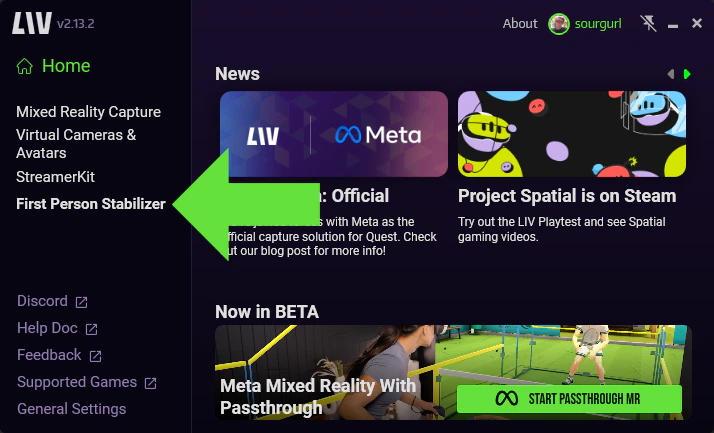
**1**) After launching the LIV desktop app, select First Person Stabilizer
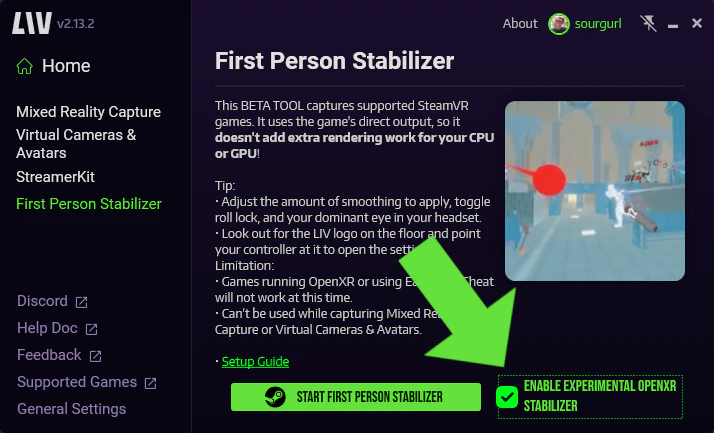
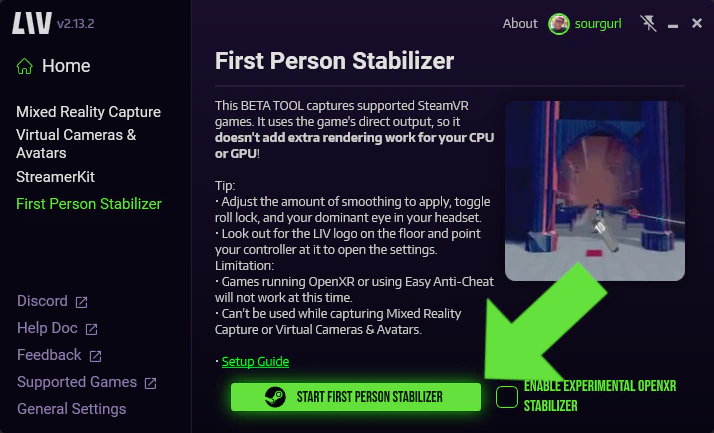 **2**) Check the box ""Enable experimental OpenXR Stabilizer"" prior to launching the game.