> ## Documentation Index
> Fetch the complete documentation index at: https://liv-creators.mintlify.site/llms.txt
> Use this file to discover all available pages before exploring further.
# 1. Install LIV's SteamVR driver
First things first, we need to get your PC environment ready for LIV.
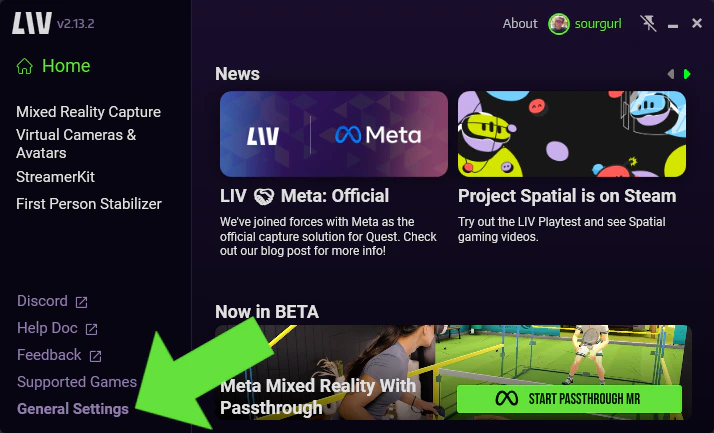
Launch LIV and navigate to General Settings (bottom left).
 Next you will click Install under LIV SteamVR Driver
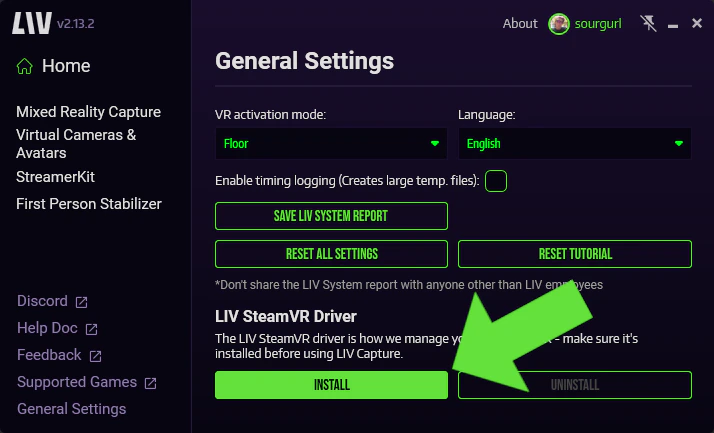 Don't forget to restart SteamVR after!