> ## Documentation Index
> Fetch the complete documentation index at: https://liv-creators.mintlify.site/llms.txt
> Use this file to discover all available pages before exploring further.
# StreamerKit Discord bot
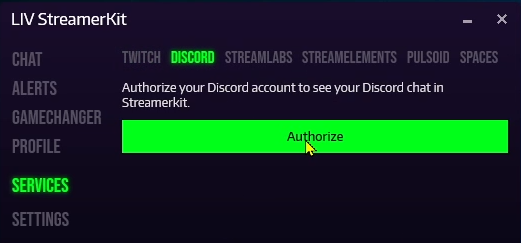
Sign in with Discord
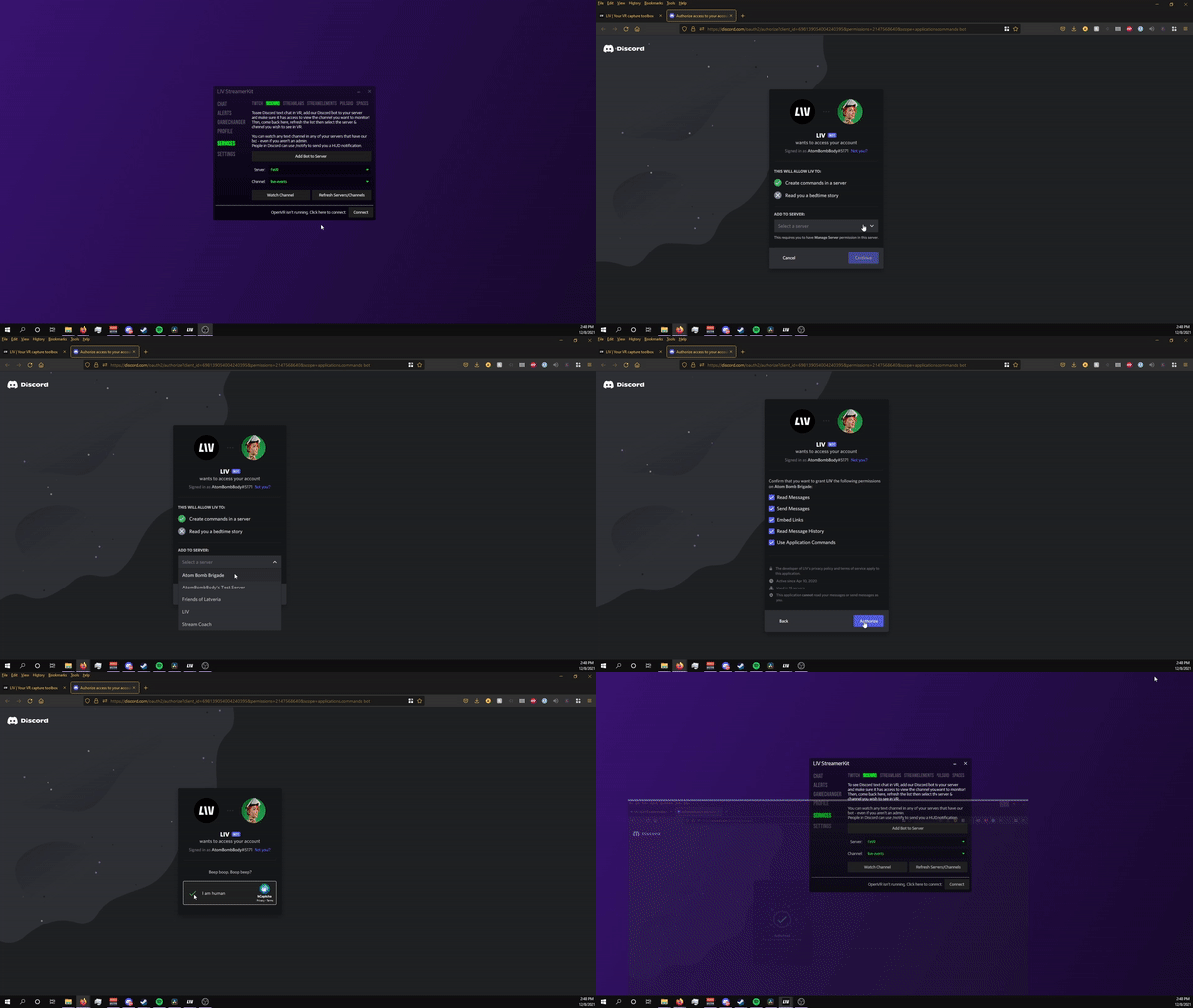
 Add our bot
 Pick a server/channel to watch
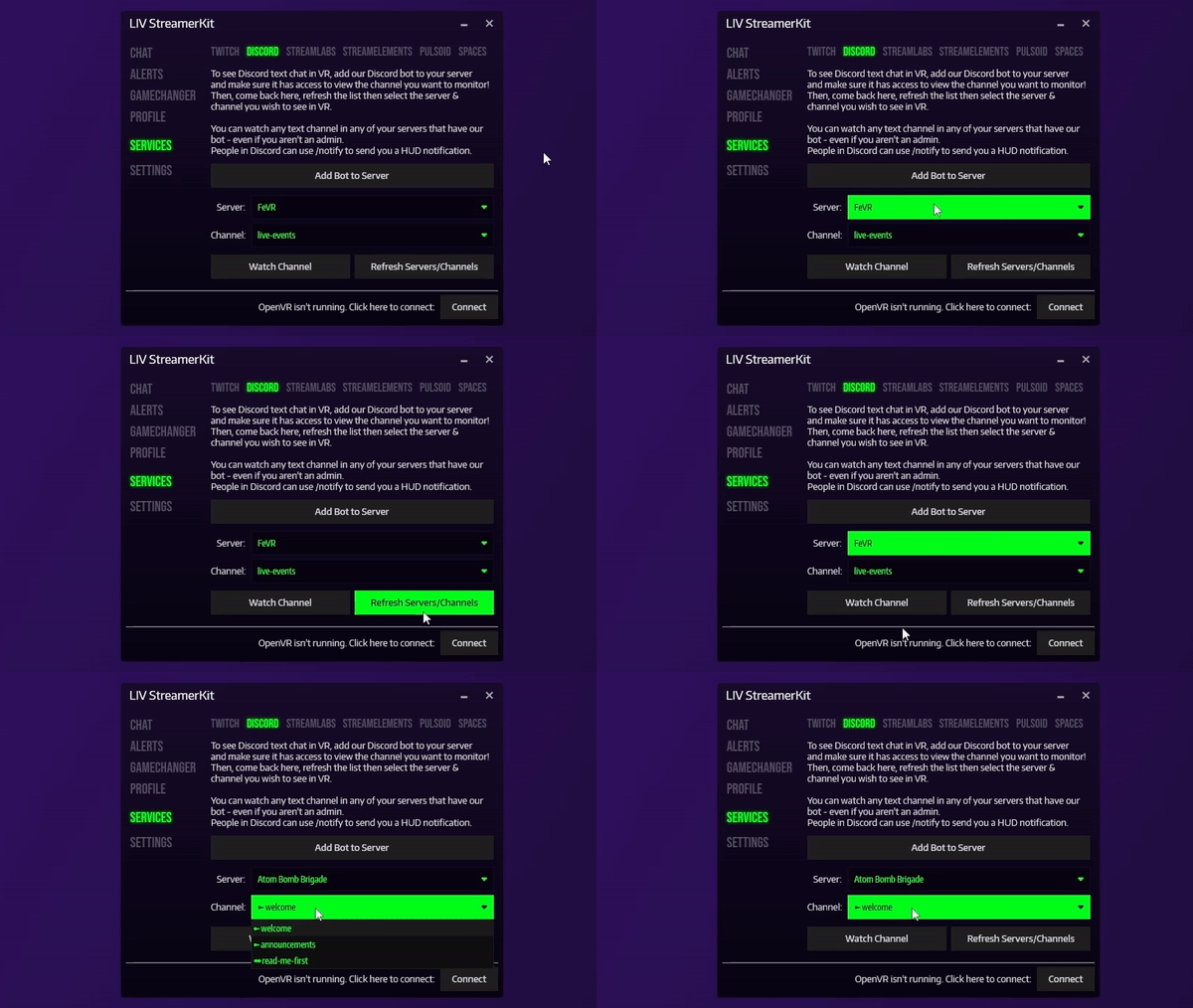 *Tip: Not seeing the server listed? Click Refresh Servers/Channels*
Use /notify MESSAGE to send a HUD notification direct to your friend's eyes When the bot's added to a Discord server, any LIV user can watch any of the text channels the bot has access to.
### **BOT SETTINGS:**
* command /allow-roles all | none|list-of-comma-delimited-role-ids to the bot./allow-roles none is the default functionality, where only server admins can perform /notify
* /allow-roles all will allow any user present in the channel to perform a /notify
* /allow-roles roleId,roleId2 will use the specified comma-delimited list of roles, when checking for permissions for /notify. Admins will be able to perform /notify regardless of this list of roles.
* Server admins that add the bot have access to these settings:
* Bot sends a "user is now live here using LIV" message to the channel the user has subscribed to (this announces people in the channel that the user started/stopped receiving chat messages).
* Command:`/announcements on|off`- available for server admins
* Admin can set the roles required by users to use this bot (eg: only discord users with the role pony can use this bot in this server). This is intended for larger communities to have a bit of crowd-control settings.
* Command:`/user-roles ANY|{a-list-of,comma-delimited,roles-to-whitelist}`
* Allows users to perform a /notify command, that will be sent to the streamer and shown as a HUD.
* This is possible if the server admins use the command `/notify-roles ANY|NONE|{a-list-of,comma-delimited,roles-to-allow}`By default, the notify roles are set to NONE (disabled)
*Tip: Not seeing the server listed? Click Refresh Servers/Channels*
Use /notify MESSAGE to send a HUD notification direct to your friend's eyes When the bot's added to a Discord server, any LIV user can watch any of the text channels the bot has access to.
### **BOT SETTINGS:**
* command /allow-roles all | none|list-of-comma-delimited-role-ids to the bot./allow-roles none is the default functionality, where only server admins can perform /notify
* /allow-roles all will allow any user present in the channel to perform a /notify
* /allow-roles roleId,roleId2 will use the specified comma-delimited list of roles, when checking for permissions for /notify. Admins will be able to perform /notify regardless of this list of roles.
* Server admins that add the bot have access to these settings:
* Bot sends a "user is now live here using LIV" message to the channel the user has subscribed to (this announces people in the channel that the user started/stopped receiving chat messages).
* Command:`/announcements on|off`- available for server admins
* Admin can set the roles required by users to use this bot (eg: only discord users with the role pony can use this bot in this server). This is intended for larger communities to have a bit of crowd-control settings.
* Command:`/user-roles ANY|{a-list-of,comma-delimited,roles-to-whitelist}`
* Allows users to perform a /notify command, that will be sent to the streamer and shown as a HUD.
* This is possible if the server admins use the command `/notify-roles ANY|NONE|{a-list-of,comma-delimited,roles-to-allow}`By default, the notify roles are set to NONE (disabled)