> ## Documentation Index
> Fetch the complete documentation index at: https://liv-creators.mintlify.site/llms.txt
> Use this file to discover all available pages before exploring further.
# YouTube Chat in VR
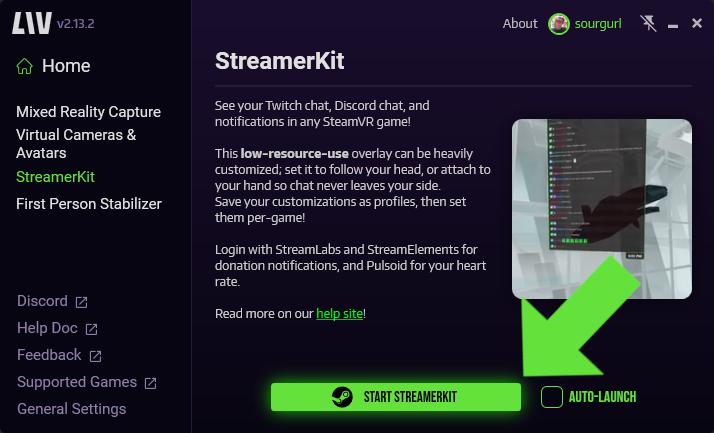
**Start StreamerKit**
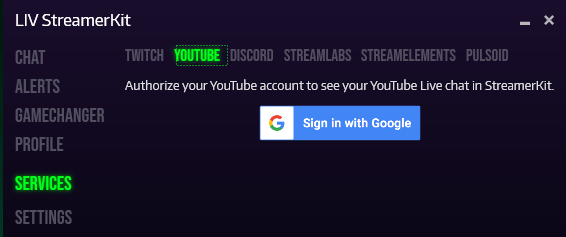
 **Click the YouTube tab and sign in with your Google Account & YouTube Channel.**
 **Make sure you are logging into the correct account.**
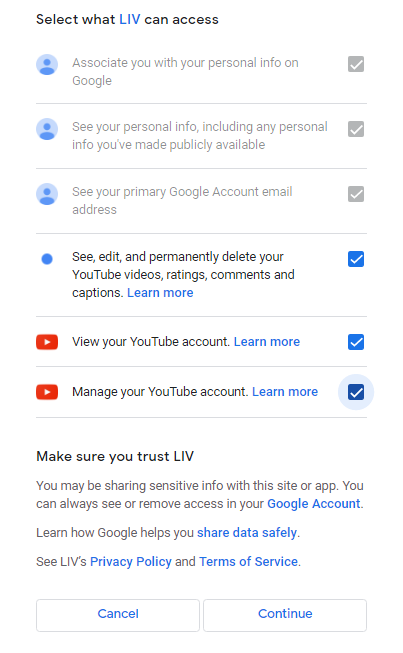
**After selecting the correct account you will need to allow LIV access.**
**Make sure you are logging into the correct account.**
**After selecting the correct account you will need to allow LIV access.**
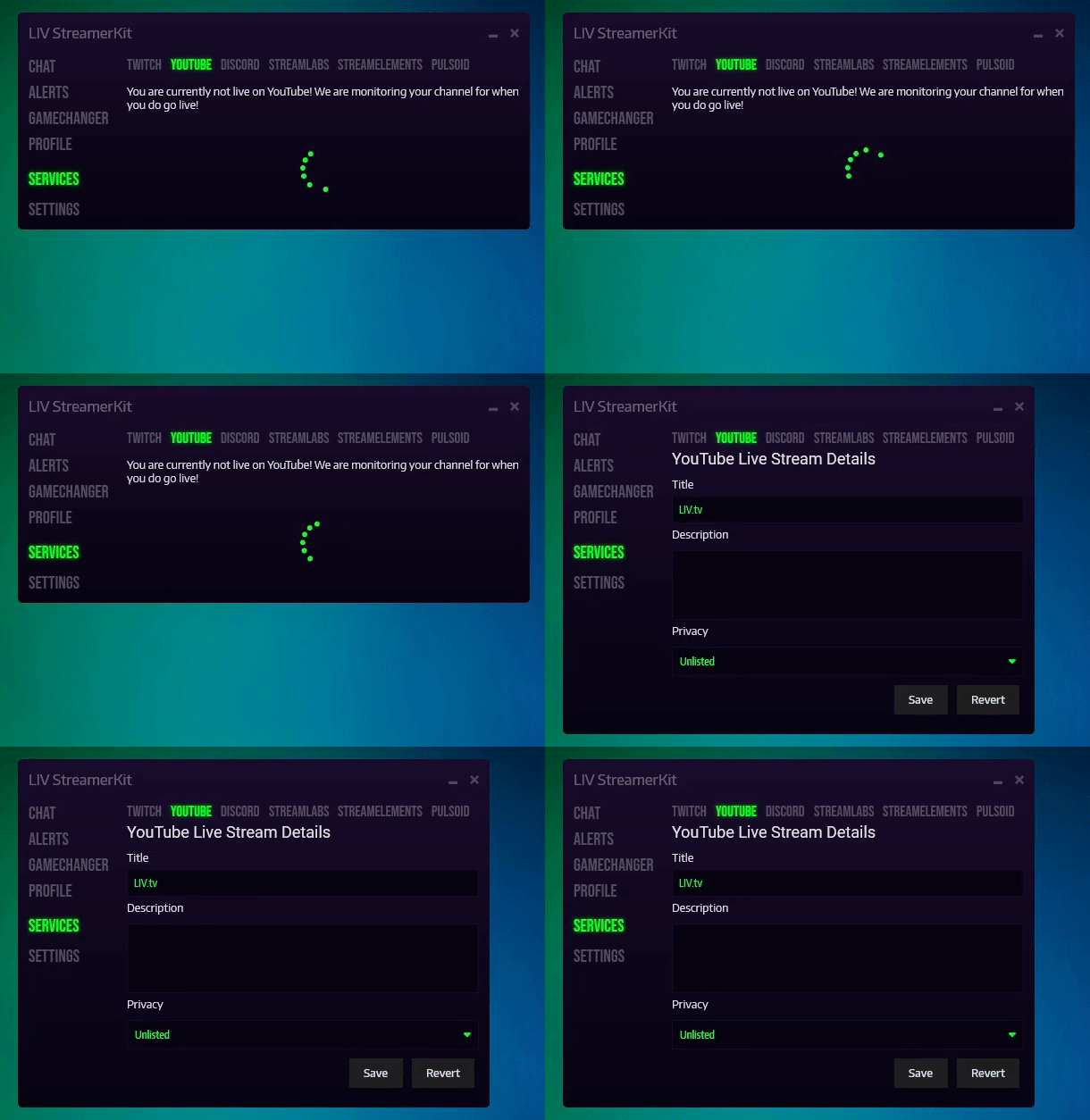
 **Once you go live, it will take a few moments to reflect the changes in StreamerKit.**
 ### **Features**
* In-HMD YouTube chat
* Heads-up notifications for super chats, super stickers, new sponsors, gift memberships, and member milestones.
* Deleted messages or banned users on your YouTube stream will be reflected in LIV's chat.
### **Disconnecting your YouTube account from LIV**
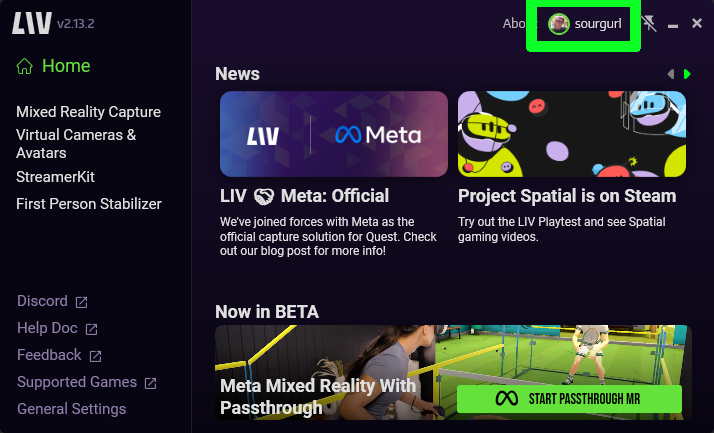
To disconnect your YouTube account, navigate to your LIV Profile, either by selecting the profile in the Top Right of the window or going to [profile.liv.tv](http://profile.liv.tv)[.](https://profile.liv.tv/)
### **Features**
* In-HMD YouTube chat
* Heads-up notifications for super chats, super stickers, new sponsors, gift memberships, and member milestones.
* Deleted messages or banned users on your YouTube stream will be reflected in LIV's chat.
### **Disconnecting your YouTube account from LIV**
To disconnect your YouTube account, navigate to your LIV Profile, either by selecting the profile in the Top Right of the window or going to [profile.liv.tv](http://profile.liv.tv)[.](https://profile.liv.tv/)
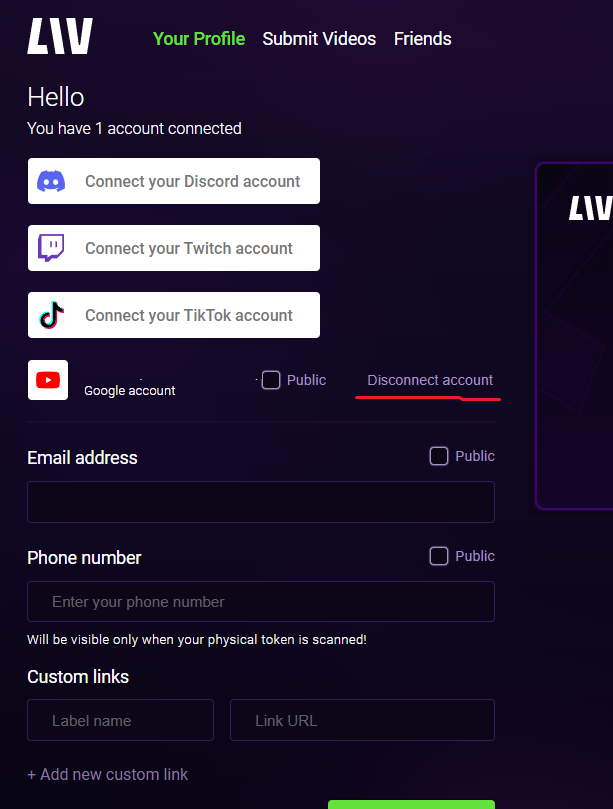
 Once on Your Profile, select Disconnect account and confirm.
 ### **Revoking YouTube third-party apps & services**
If you'd like, you can revoke LIV's access to your Google & YouTube account from your Google's [Account Settings.](https://myaccount.google.com/security)
Search for LIV and revoke the access. You can view [this guide](https://www.youtube.com/watch?v=yJA9vDporQw) if you need help doing so.
### **Revoking YouTube third-party apps & services**
If you'd like, you can revoke LIV's access to your Google & YouTube account from your Google's [Account Settings.](https://myaccount.google.com/security)
Search for LIV and revoke the access. You can view [this guide](https://www.youtube.com/watch?v=yJA9vDporQw) if you need help doing so.