Pairing your game to LIV Hub is required for LIV Camera streaming. Depending on the game, the process will be different according to how they added the streaming capability. To use the advanced features of the LIV Camera within a game, you’ll need to link the game to the LIV Hub. Download LIV Hub on the Meta Quest store. If you’ve uninstalled the app, you’ll have to re-pair the app to LIV Hub.Documentation Index
Fetch the complete documentation index at: https://liv-creators.mintlify.app/llms.txt
Use this file to discover all available pages before exploring further.
This step must be done for each game and may differ depending how the game has chosen to add the camera.
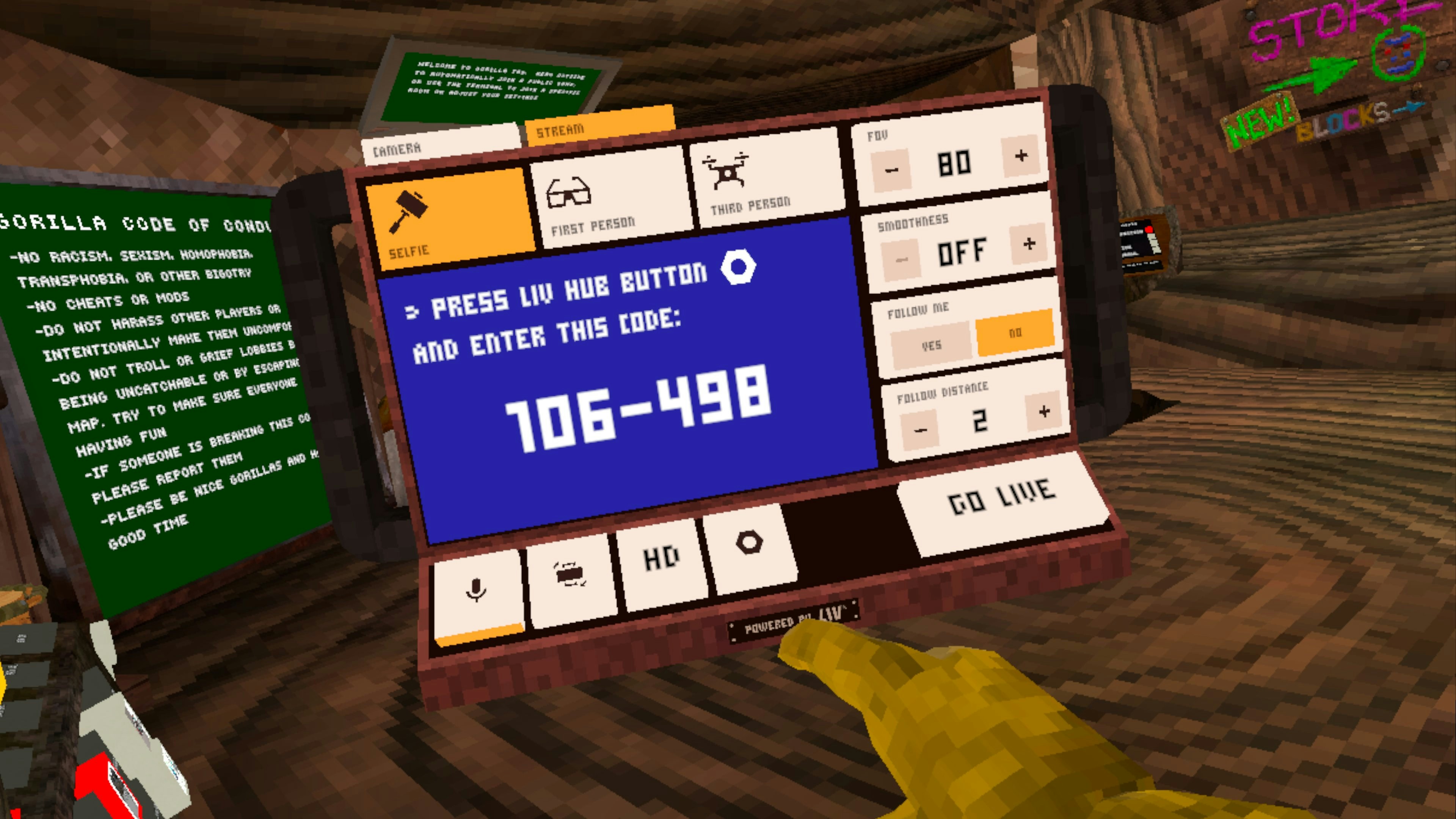
- Within the LIV Camera in the game, initiate the linking process.
- A code will be displayed
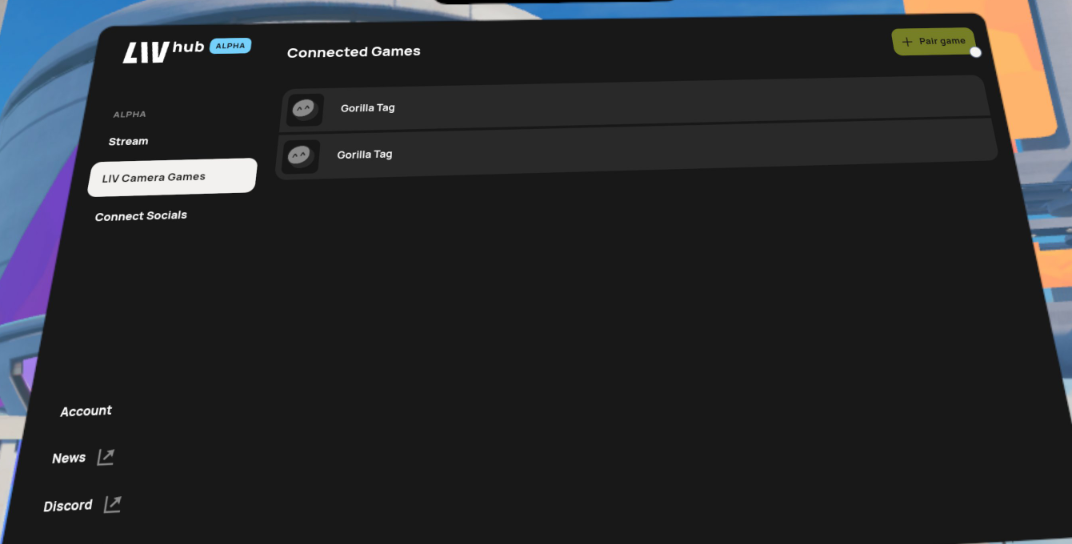
- Open LIV Hub
- Navigate to LIV Camera Games -> Pair Game
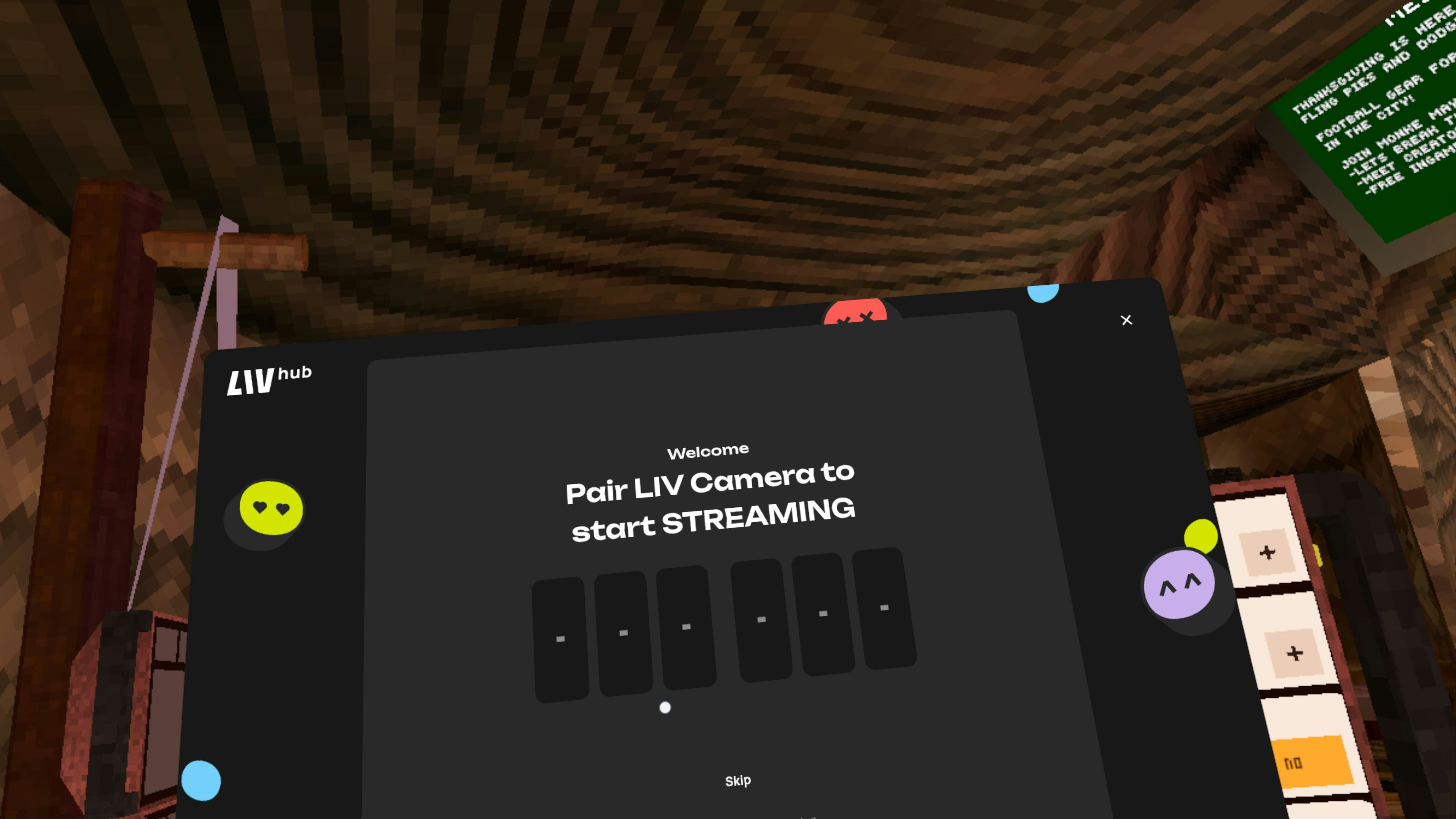
- Enter the code
- Your LIV Camera is now linked
Gorilla Tag, for example
Get your pair code