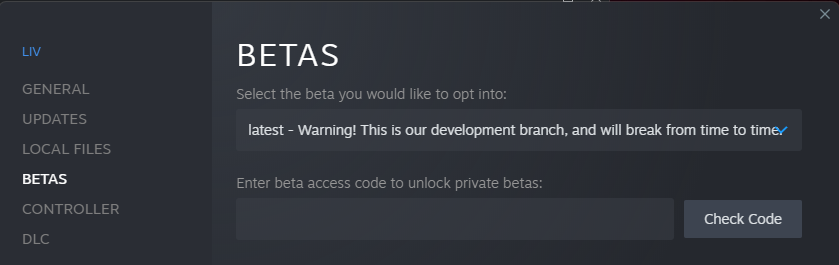
Our OBS Plugin, available on the “latest” branch, allows you to “Export” any scene or source to be used as your LIV camera, without any CPU overhead! Close LIV, then go to Steam > LIV > Properties > Betas, and select “latest - Warning!” there Betabranch You can find it in LIV’s Resources\OBS Plugin folder, and you’ll need to install it and add it to a scene/source before using it in LIV Program Files (x86)\Steam\steamapps\common\LIV\Resources\OBS Plugin copy that over to Program Files\obs-studio and choose Replace files when prompted to do so. If you installed OBS through Steam: Program Files (x86)\Steam\steamapps\common\OBS Studio

In OBS

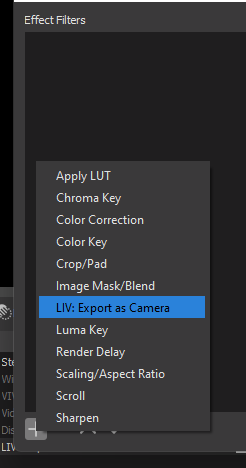
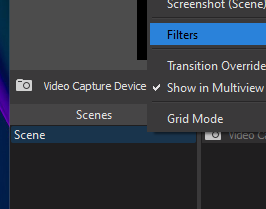
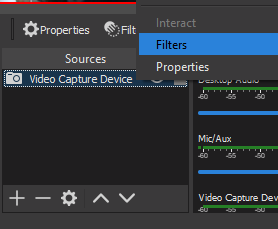
Right click the scene or source and select Filters Obsfilters Obs Source Filters Then click the + to select the filter LIV: Export As Camera Obs Liv Plugin
IN LIV

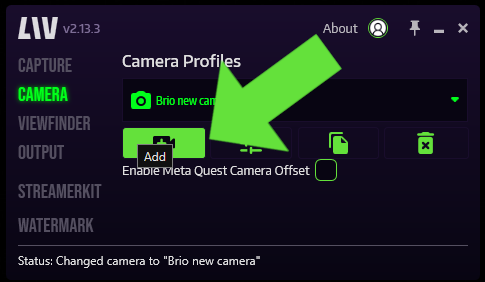
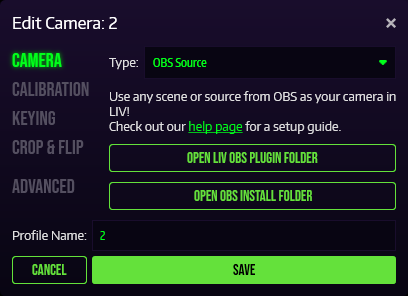
Create a new camera profile Addcameraliv Select OBS Source in the Type: drop down menu Camera Obs Plugin Continue on as normal from here.