

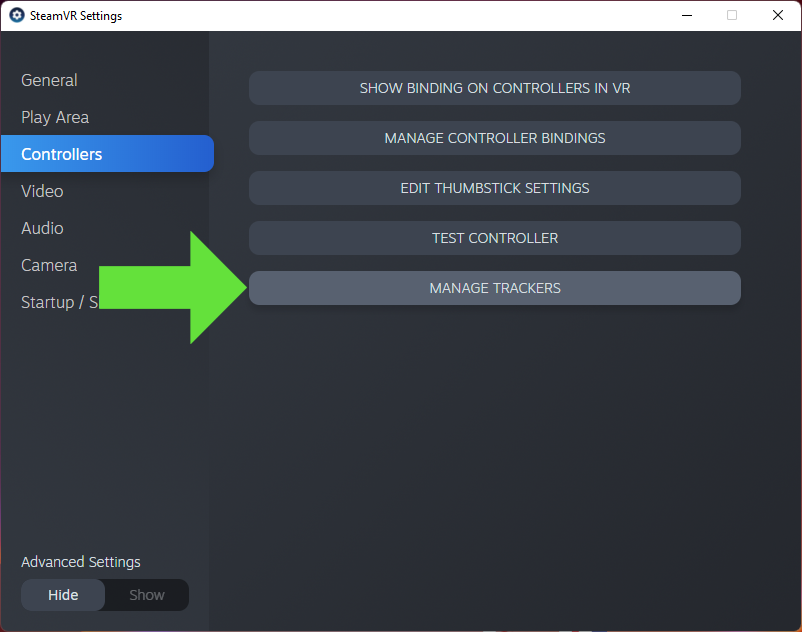
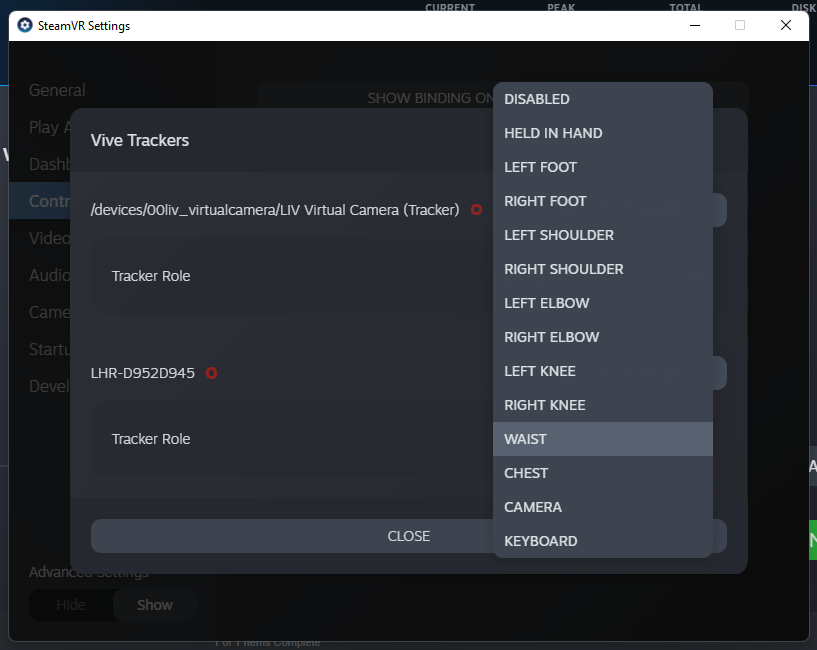
First you will need to pair your trackers with SteamVR. Pairing Vive Trackers (2018) Pairing Vive Trackers (3.0) Pairing Tundra Trackers After pairing your trackers you will need to assign them to the correct body part in SteamVR’s Manage Trackers section, Left foot, Right Foot, ect. Its best to do them one at a time and label the tracker in some way so you know which body part is paired with that tacker.Documentation Index
Fetch the complete documentation index at: https://liv-creators.mintlify.app/llms.txt
Use this file to discover all available pages before exploring further.
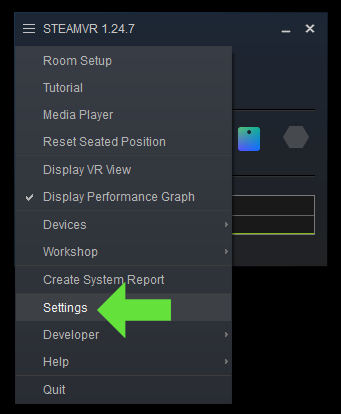
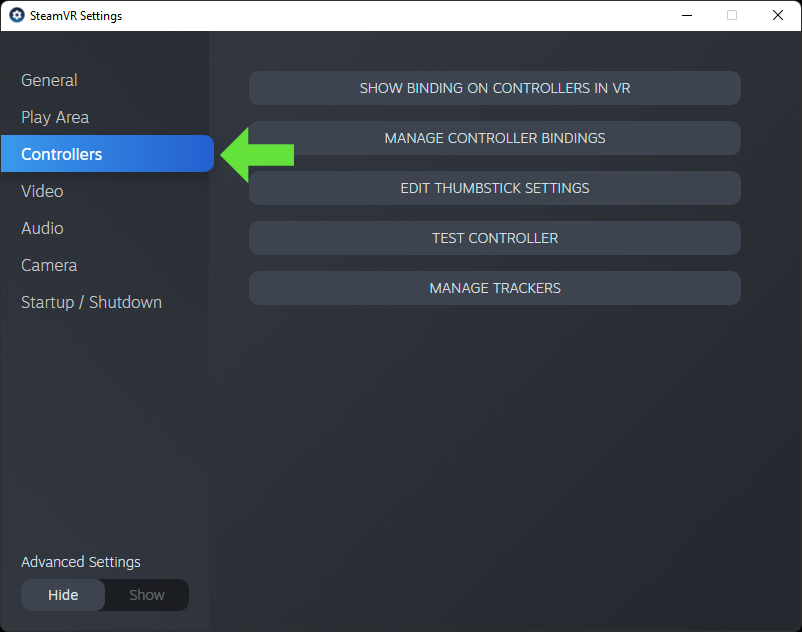
SteamVR Settings > Controllers > Manage Trackers
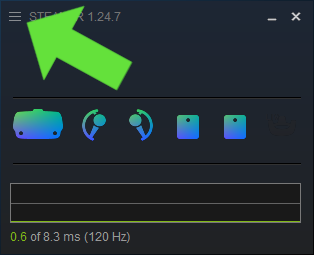
Click the 3 little lines on the top left of the SteamVR desktop dashboard window to open the settings.
Tip: How to pair SteamVR devices to avoid binding conflicts Step 1: Unplug all vive dongles Step 2: Restart Steamvr so everything VR related is powered off then powered back on. Step 3: Power on and pair your controllers, since the dongles are unplugged they will bind to your headset Leave them on for the remainder of the steps. Step 4: Plug in one dongle, and pair the tracker. Since there is only one dongle that doesn’t have a device attached, it will bind to this one. Leave the tracker on for the remainder of the steps. Step 5: Repeat step 4, one dongle and one tracker at a time, leaving them on until you are complete