The calibration process is a 3-click process that helps us determine the Field of View (FoV), position and rotation of your camera.
It is important that you try to be as accurate as possible; even small mistakes can easily make the calibration go bad.
Let’s get started!
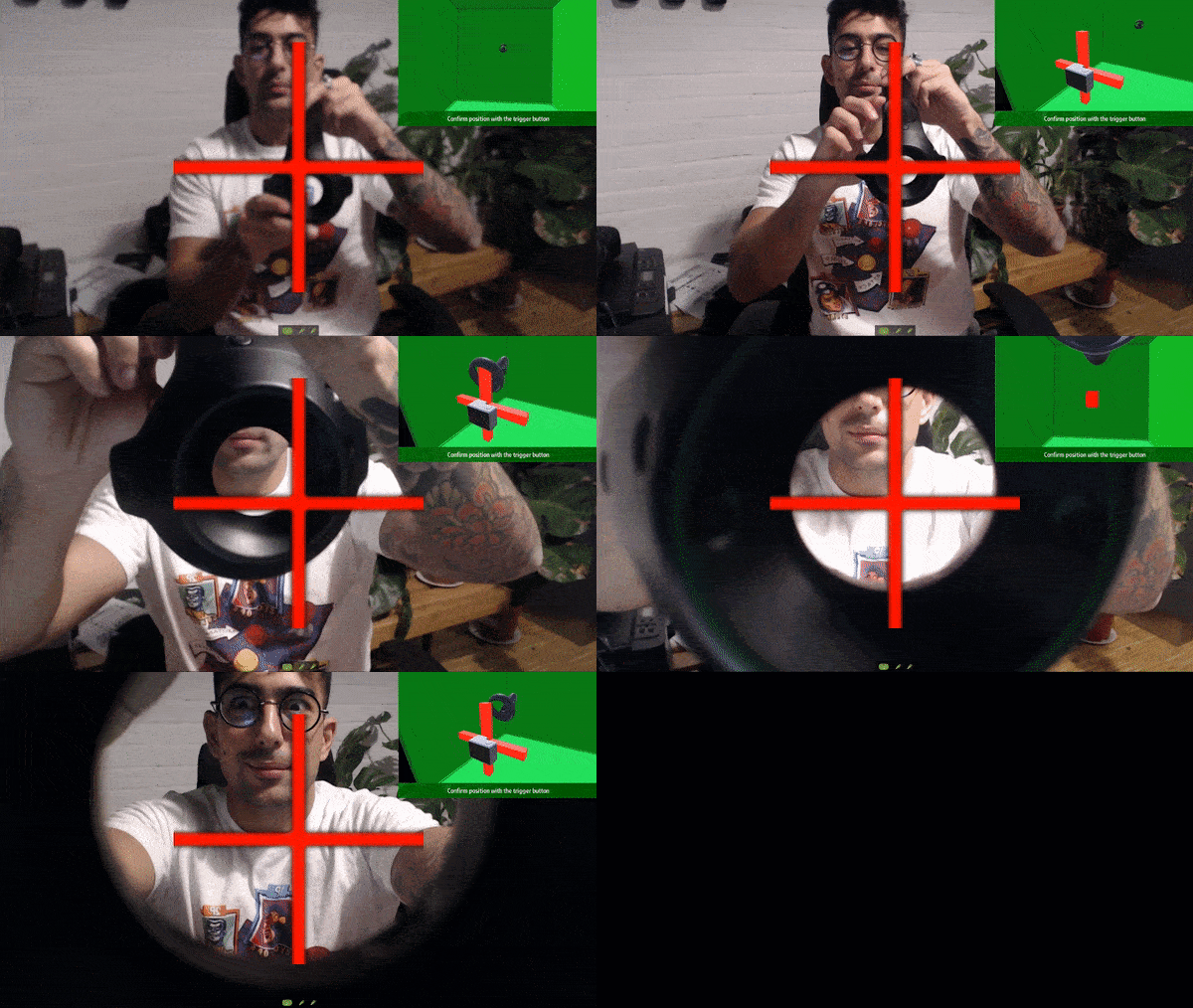
- Press Trigger once to initiate the calibration. You should now see a big red cross in the middle of your view.
- Bring your controller all the way up to the lens of the camera as showcased below, then press Trigger.
For VIVE Controllers, you want to encompass
the cross with the controller donut/hole.
Press Trigger to confirm.
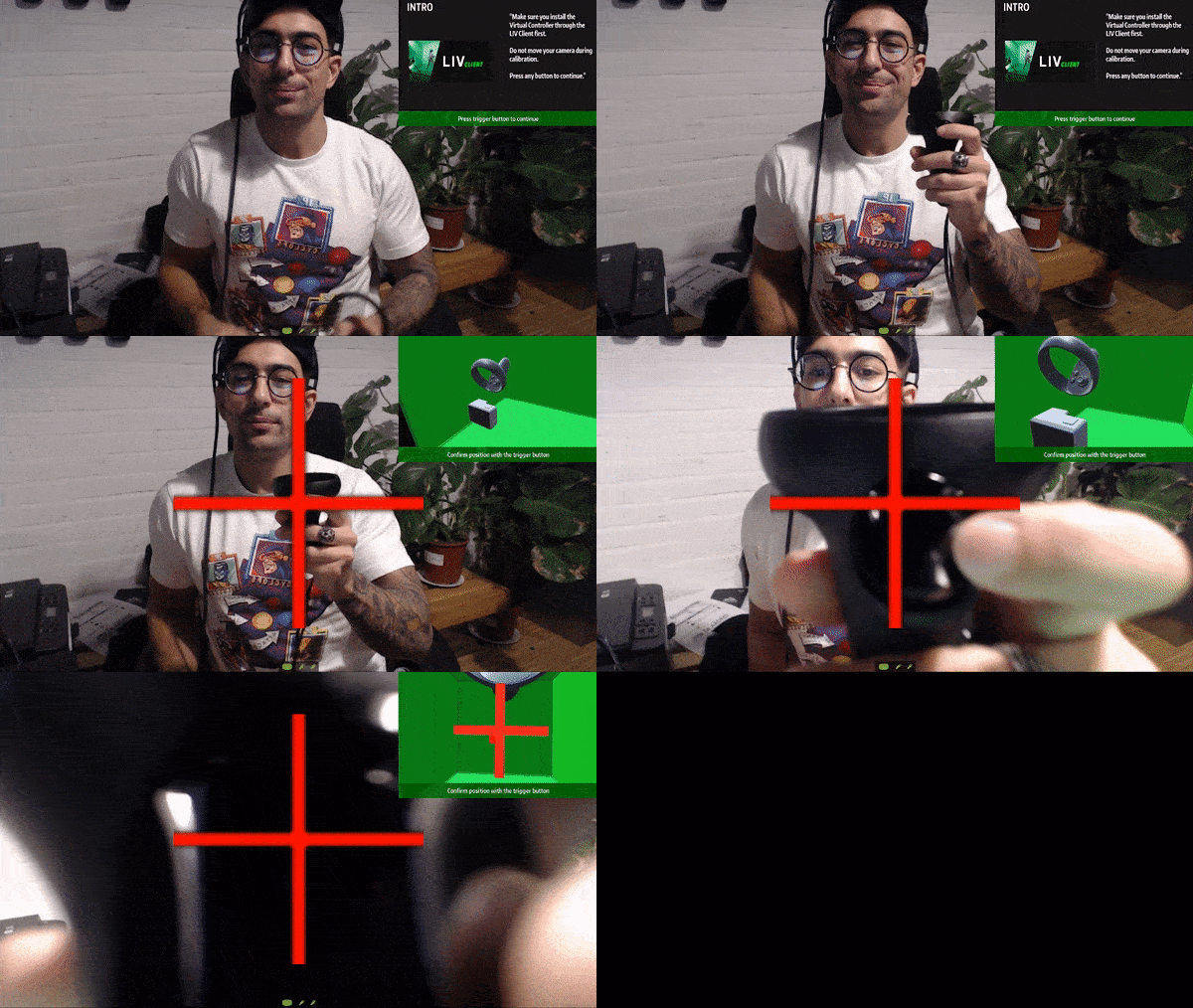
 For Rift and Index Controllers, you want to align the
center of the Trigger with the center of the cross.
Press Trigger to confirm.
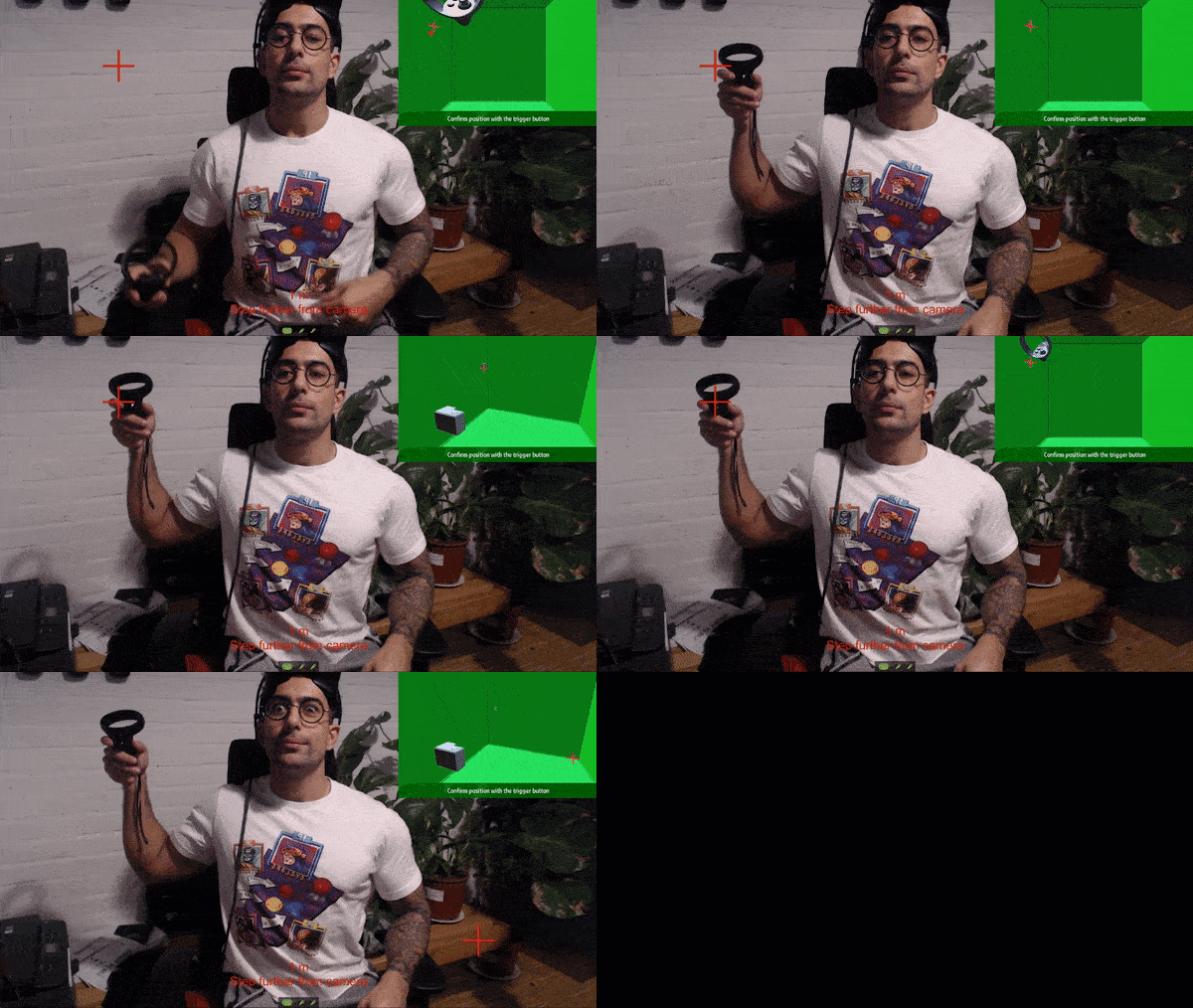
 For step 2 and 3, move as far back into your play space
as you can, or until the distance indicator turns green, then repeat
the clicks in each corner using the same alignment logic as above.
 Once you’re done with the three clicks, you should see virtual controllers overlaid onto your real controllers. They should match your real controllers almost perfectly.
Do not Enable Meta Quest Camera offset as this will break calibration and not function properly
-
Help I’m trying to calibrate and ""warning"" pops up on the screen
-
LIV’s Virtual Camera is attached to your controller; Your controller is stuck on the floor; You cannot calibrate due to our SteamVR driver not starting

