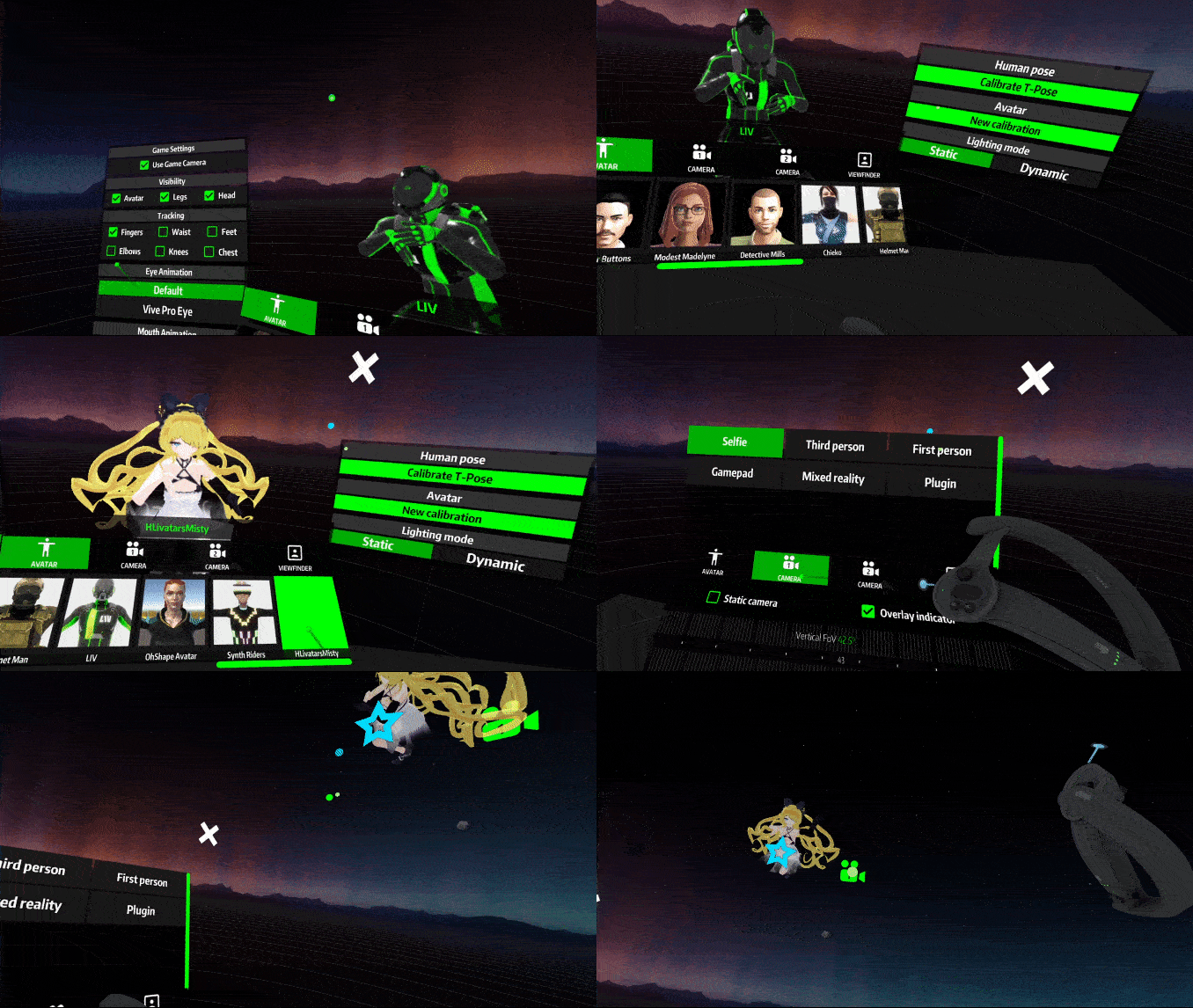
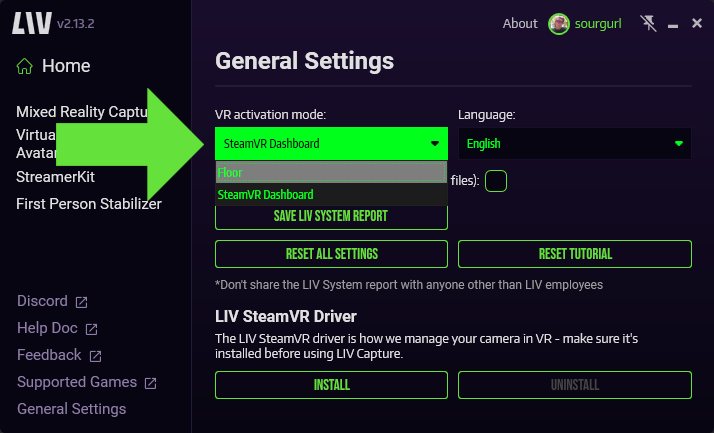
Choose your LIV menu activation mode in General Settings
To open the LIV menu
Open the SteamVR dashboard by pressing the system button on the controller. Then click on the LIV icon on the SteamVR dashboard toolbar.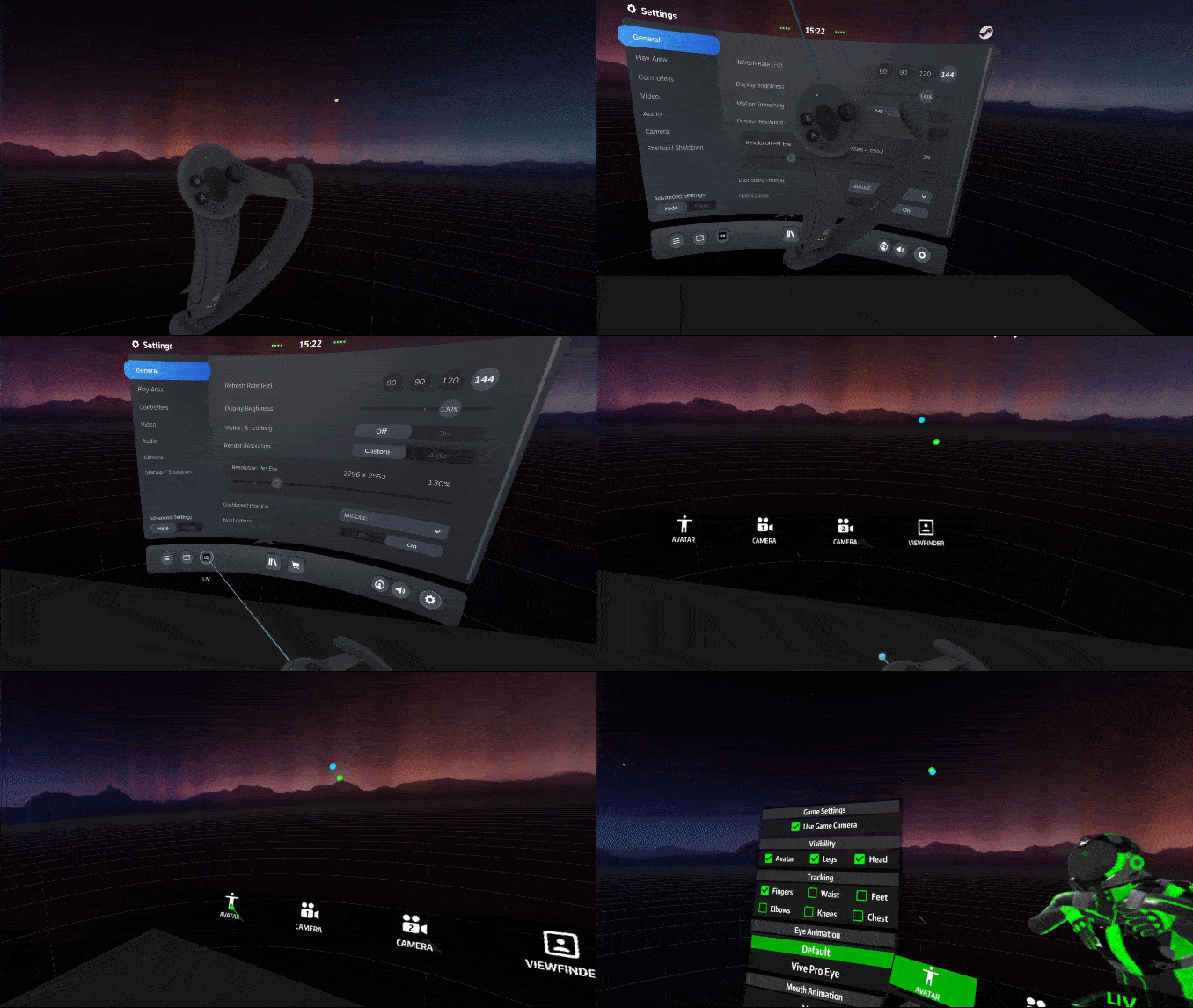
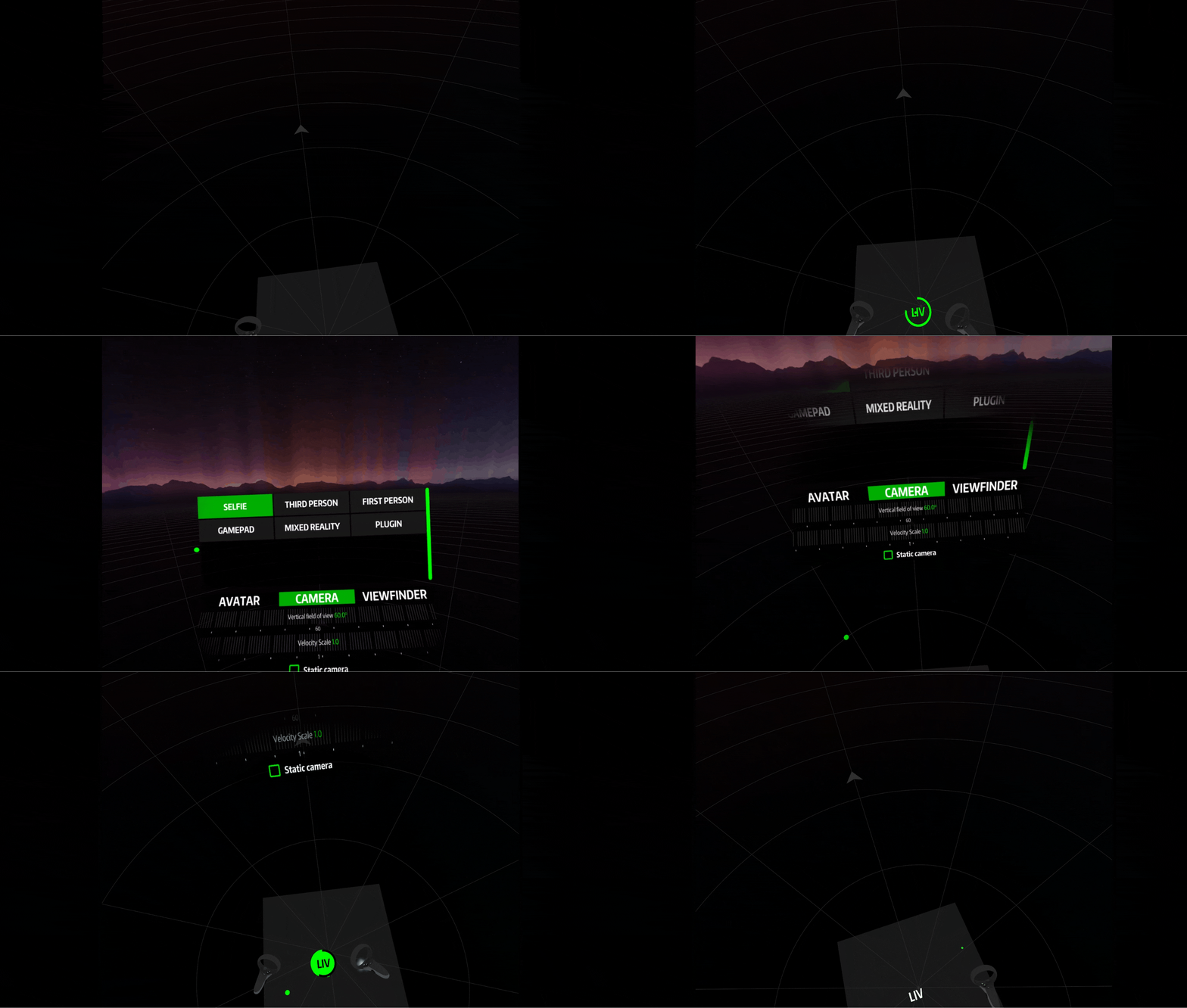
To close the SteamVR dashboard LIV menu:
- Either press the X icon at the top right or - Open the SteamVR dashboard by pressing the system button on the controller, and click “Close menu”. Here you will find all your avatar and virtual camera settings, all controllable from within VR.