Now that your avatar is all neat and clean, it’s time to set up your virtual camera.Documentation Index
Fetch the complete documentation index at: https://liv-creators.mintlify.app/llms.txt
Use this file to discover all available pages before exploring further.
- Open up the LIV Avatar interface and venture to the Camera tab - there you’ll see all the different camera modes that are currently available.
- Play around with them to your heart’s content! Below is a brief rundown of the different modes.
Imagine a selfie stick that transcends all physical boundaries. Now stop imagining, because it’s right in front of you.
This is the G.O.A.T. of all selfie sticks, and here’s how you operate it:
- You can drag the camera around by pointing inside the inner circle enclosing the camera icon and holding Trigger. Release and drop the camera off wherever you want.
- You can extend/retract the selfie stick by pointing between the inner and outer circle, holding Trigger and moving your hand horizontally.
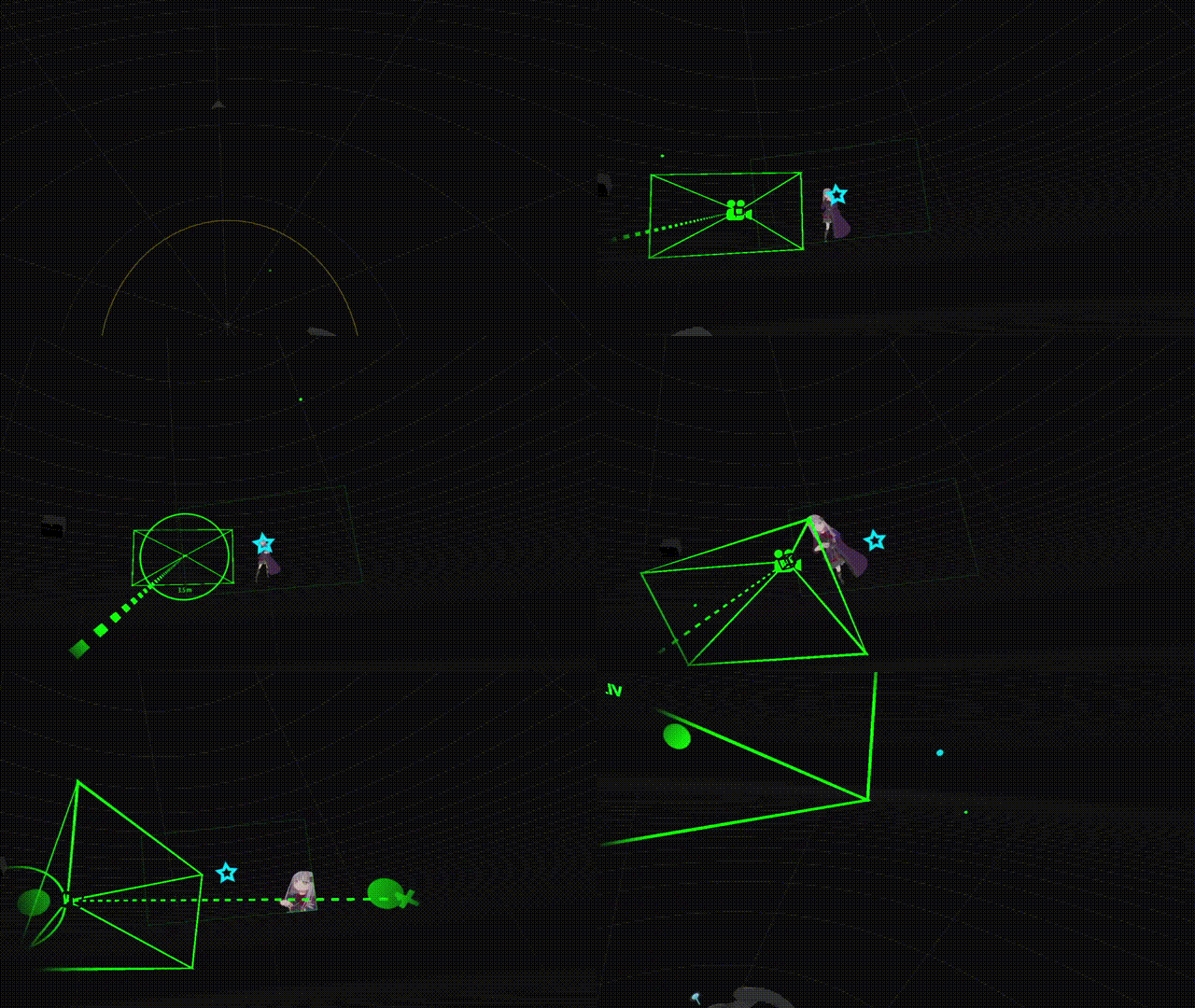
The camera films your view from a third-person perspective. Tweak settings to tailor fit your framing. Enhanced First Person View
The camera films your HMD view and is basically the same as streaming the SteamVR mirror, but with extra settings that make for a more pleasant viewing experience (smoothing, extra FoV). You can read more about it here! Gamepad
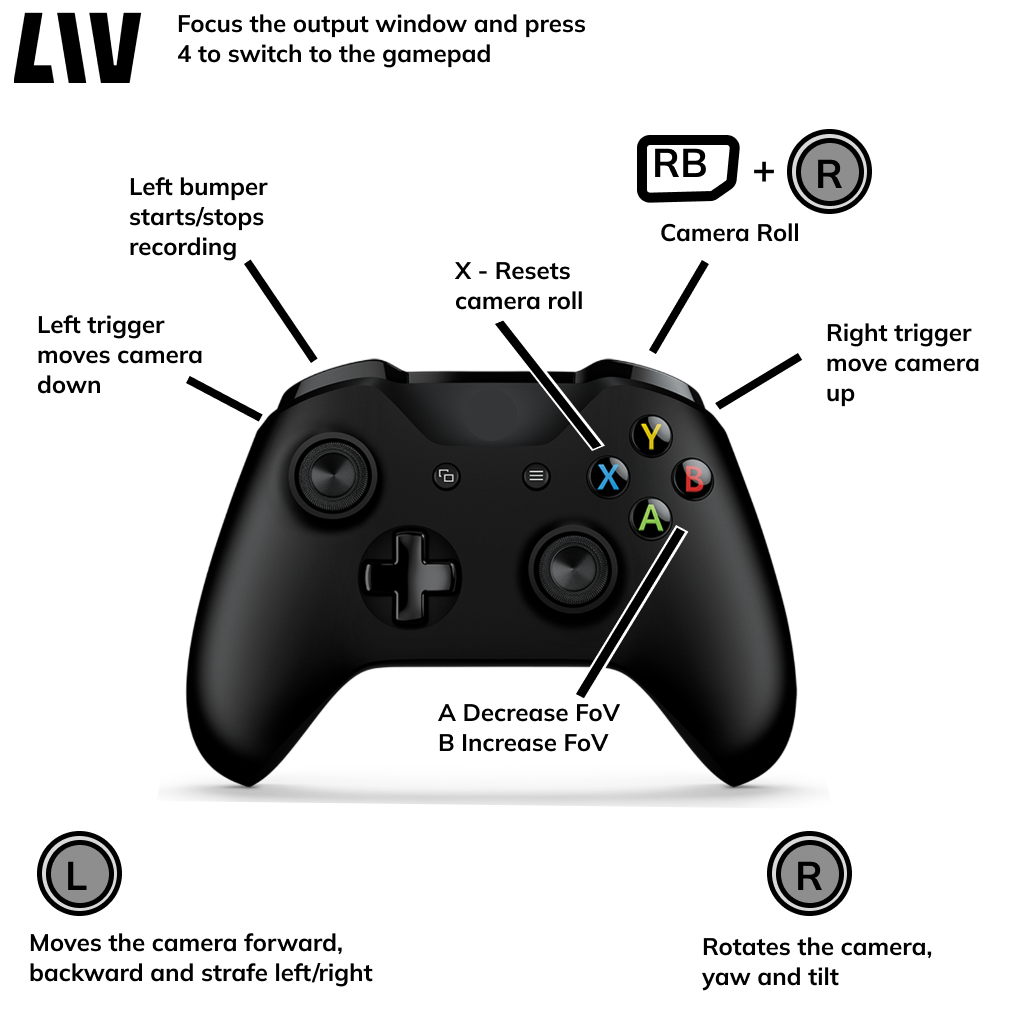
Connect an Xbox controller to your PC and control the camera using a gamepad. This allows you to fly around with the camera in free-form mode, giving you epic control over cinematography and framing.