LIV Creator Documentation home page
LIV Steam App on PCVR
Search...
⌘K
Ask AI
Dashboard
Dashboard
Search...
Navigation
LIV Avatars and Virtual Cameras
Overlay Indicator
Home
Guides
Troubleshooting
FAQ
LIV Hub
LIV Discord
Mixed Reality
LIV Mixed Reality Quick Start Guide
1. Install LIV's SteamVR driver
2. Create Mixed Reality Camera Profile
3. Preparing Your Calibration
4. Calibrating Your Camera
5. Start Capturing (MR)
Feature guides
ragesaqs technique for getting perfect calibration
LIV Avatars and Virtual Cameras
Avatar Quick Start Guide
Avatar Configuration
Enter the LIV Avatar Interface
Start Capturing (Avatar)
The Viewfinder
Camera Modes
LIV's Enhanced FPV
How to Use LIV: Avatars (Video)
Dynamic lighting
Pairing and assigning trackers for Full Body Tracking or tracked camera
Avatar best practices
LIV Camera Plugins
Microphone, Face, and Eye tracking support on .avatar format
Microphone, Face, and Eye tracking support on VRM format
VRCFT Support in LIV
Camera 2 in the LIV Avatar Suite
Close Avatar Hands
Disable keyboard privacy in SteamVR
Responsive Smoothing | Roll Lock
Overlay Indicator
Use Game Camera - Avatar
Use LIV Avatars as an overlay only
ReadyPlayerMe Avatars
Does LIV Avatar support button activated facial expressions/animations?
Find, Install, and Remove Avatars
Create Avatar Camera Profile
StreamerKit
LIV StreamerKit
Twitch Chat in VR
We request the following permissions from Twitch
StreamerKit Presets and Profiles
Streamlabs Alerts in LIV
YouTube Chat in VR
StreamerKit Discord bot
Pulsoid Heart Rate Streaming
First-Person Stabilizer
Experimental OpenXR support for First Person Stabilizer
First-Person Stabilizer Setup
General LIV Steam App
General Settings
How To Improve Performance With LIV
How to use your Meta Quest with LIV
Virtual Desktop OpenXR runtime must be set to SteamVR
How to manually capture a game
How to properly start LIV with Virtual Desktop
How to remove the watermark
LIV Menu Activation Mode
How To stream LIV on Discord with Audio
Tracker power up sequence
How to optimally capture LIV
Reset all Settings
Audio latency
Echo's PCVR Performance & Tracking Ultimate Guide
Rotatoexpress
How to set SteamVR as your OpenXR Runtime
How to pair SteamVR devices to avoid binding conflicts
URI Commands for LIV PCVR Camera
How To Switch LIV Branch on Steam
OBS Plugin
How To verify LIV's Contents in Steam
LIV Profiles
LIV Profiles
LIV Avatars and Virtual Cameras
Overlay Indicator
Copy page
Copy page
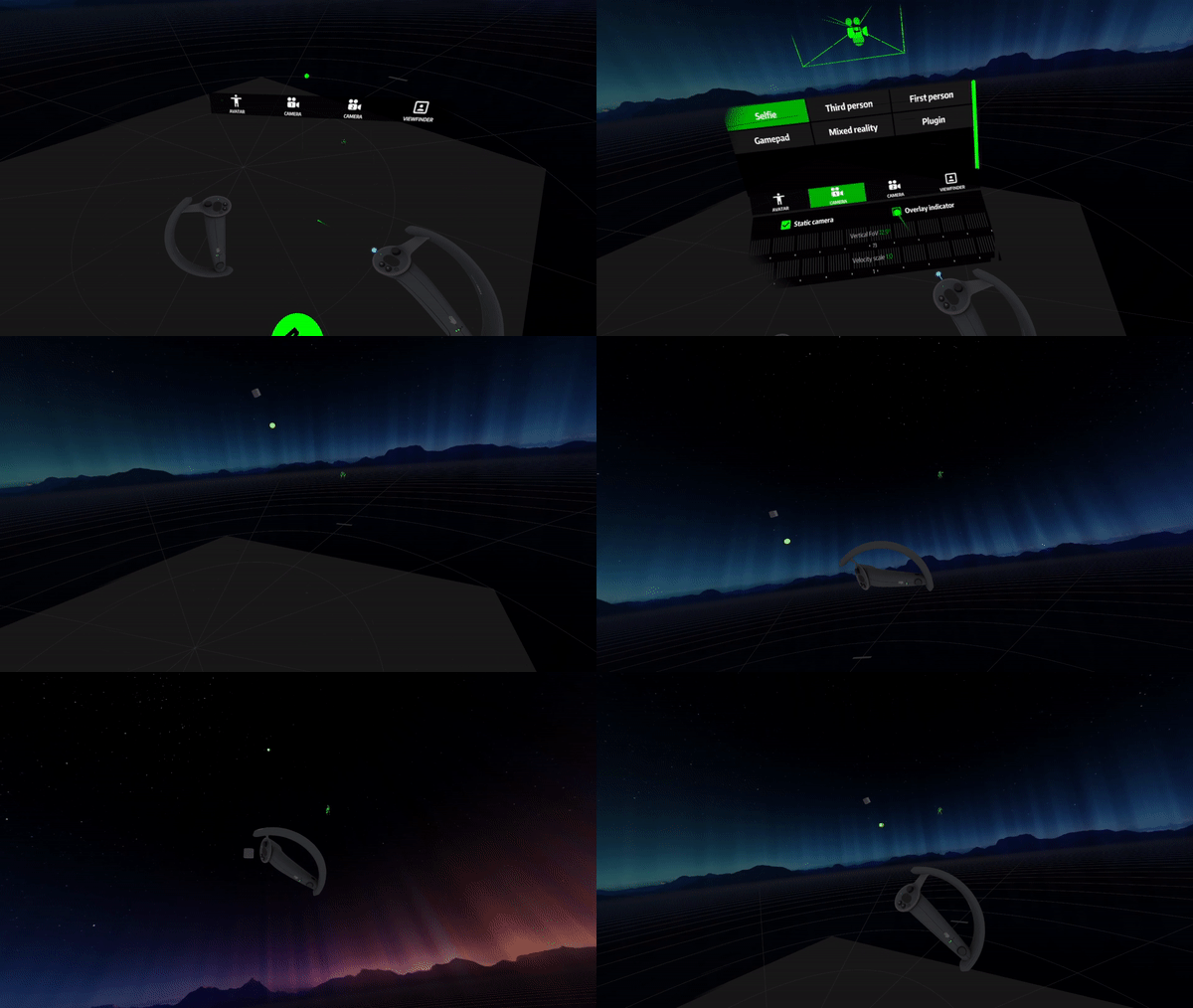
Overlay indicator allows you to find your camera easily, turn it on then follow the green dot back to the camera.
The overlay indicator can be found under
Selfie
camera
Was this page helpful?
Yes
No
Responsive Smoothing | Roll Lock
Use Game Camera - Avatar
⌘I
Assistant
Responses are generated using AI and may contain mistakes.