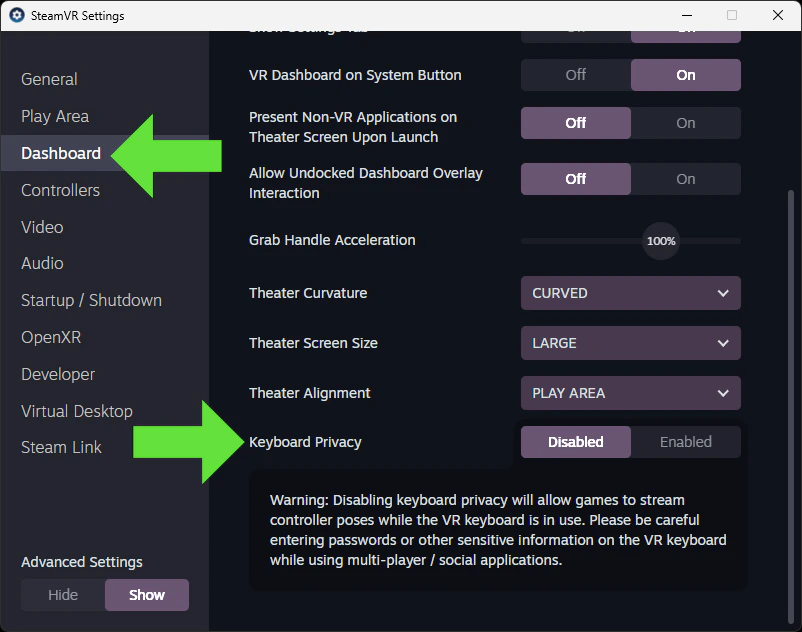
If you notice your avatar loses tracking function when opening the SteamVR dashboard keyboard, you can disable “Keyboard Privacy” in SteamVR settings to fix this.Documentation Index
Fetch the complete documentation index at: https://liv-creators.mintlify.app/llms.txt
Use this file to discover all available pages before exploring further.
Open SteamVR settings, select dashboard, then scroll to the bottom and disable Keyboard Privacy