Camera 2 in the avatar suite is an extra camera view of your avatar. The background is transparent and you will need to set things up properly in your recording/streaming software for that to work correctly. Camera 2 is ONLY a view of your avatar so it wont be composited with the game. You can move/adjust the camera the same as you do for the Selfie cameraDocumentation Index
Fetch the complete documentation index at: https://liv-creators.mintlify.app/llms.txt
Use this file to discover all available pages before exploring further.
- You can drag the camera around by pointing inside the inner circle enclosing the camera icon and holding Trigger. Release and drop the camera off wherever you want.
- You can extend/retract the selfie stick by pointing between the inner and outer circle, holding Trigger and moving your hand horizontally.
How to capture
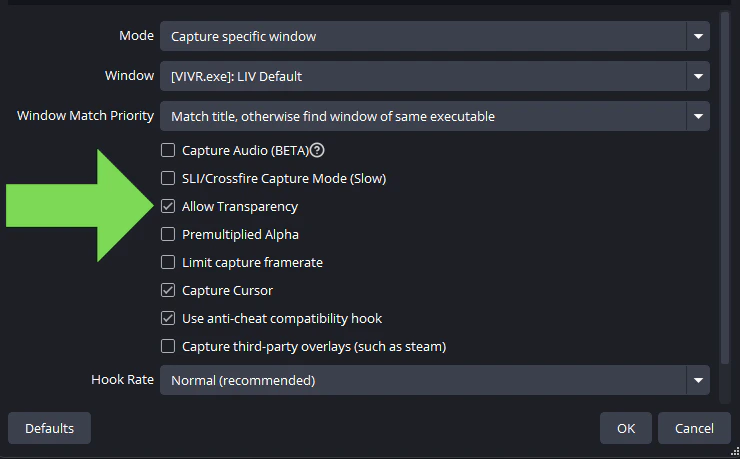
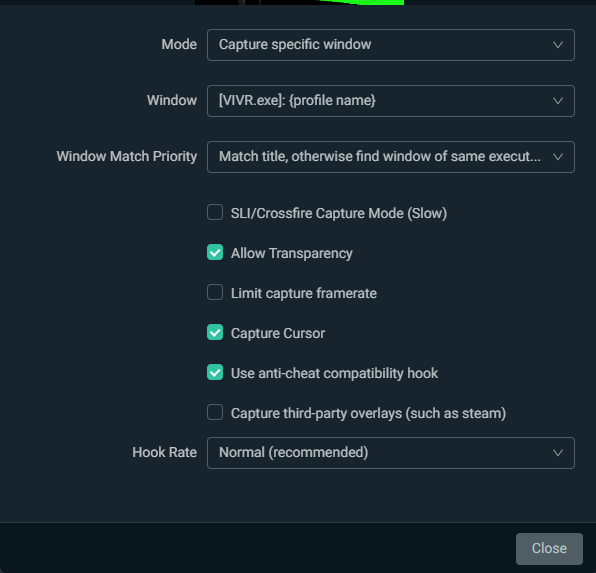
Capture the VIVR.exe window using game capture, it will be named like so \[VIVR.exe\]: [Profile name] OBS Enable Allow Transparency