

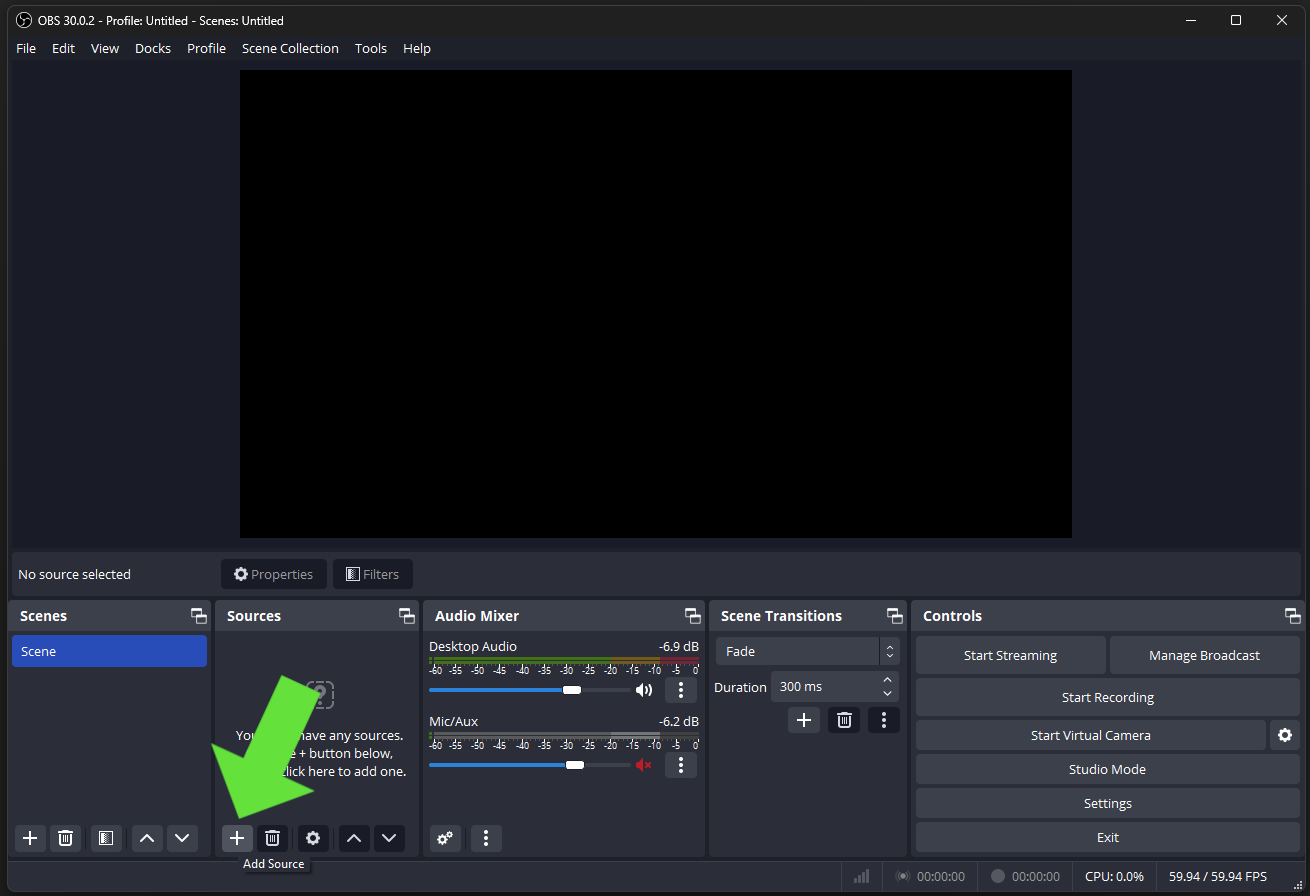
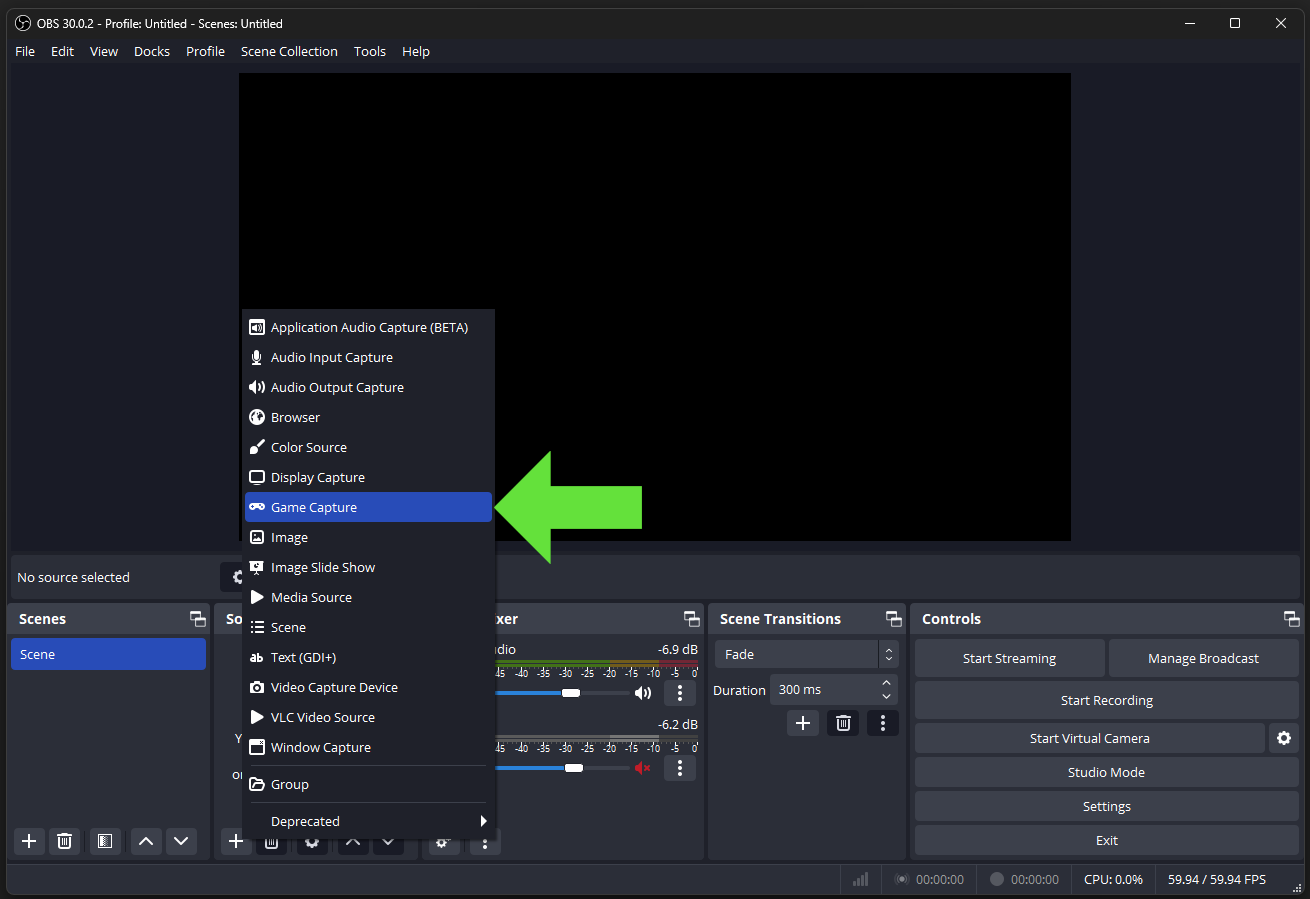
The most commonly used software for video recording and streaming is Open Broadcaster Software (OBS). It’s the most lightweight capturing tool out there, and it’s also really easy to set up! We strongly recommend it. They have a very well written wiki on how to quickly get started:https://obsproject.com/wiki/OBS-Studio-Overview Capturing LIV with OBS couldn’t be easier. Simply add a new “Game Capture” source to your scene and target the LIV output. Resize the window to fit your frame and voilà, you’re good to go After downloading and setting up OBS https://obsproject.com/download https://obsproject.com/help you will need to add LIV as a source, in the Sources box click the + sign in that location.Documentation Index
Fetch the complete documentation index at: https://liv-creators.mintlify.app/llms.txt
Use this file to discover all available pages before exploring further.
 In the Window drop down menu select [capture.exe]: LIV Output
 After that click ok.
You should be ready to start recording or streaming now 😊
After that click ok.
You should be ready to start recording or streaming now 😊