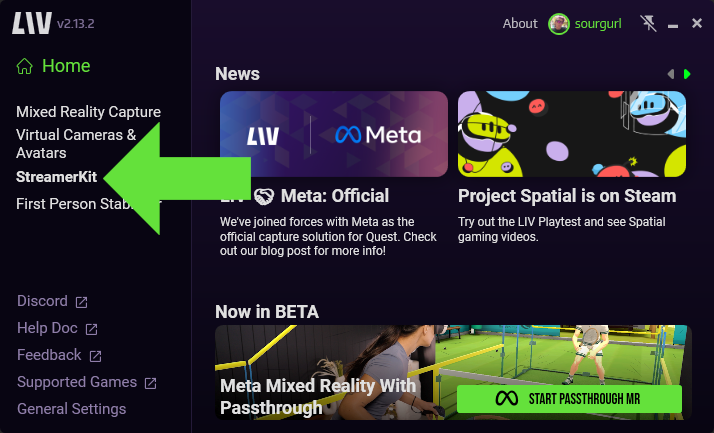
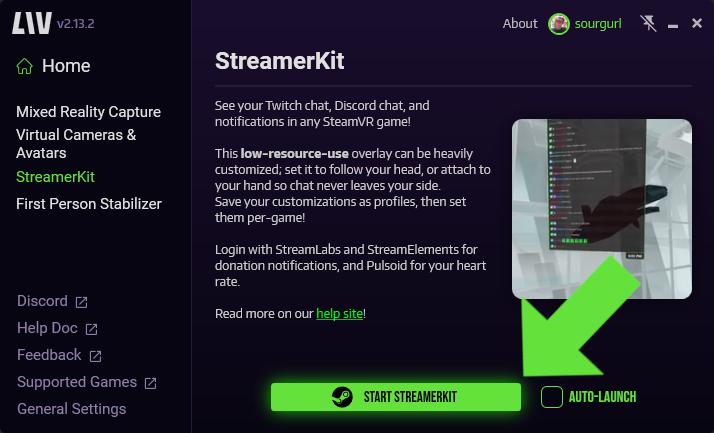
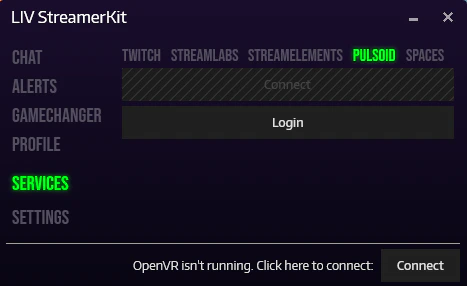
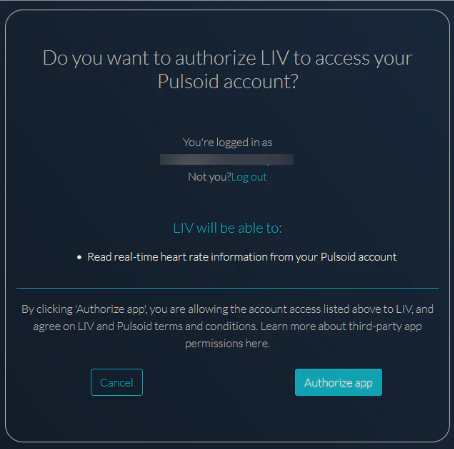
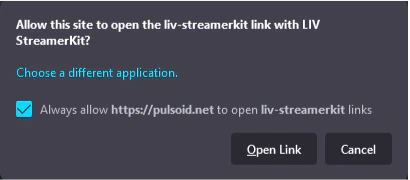
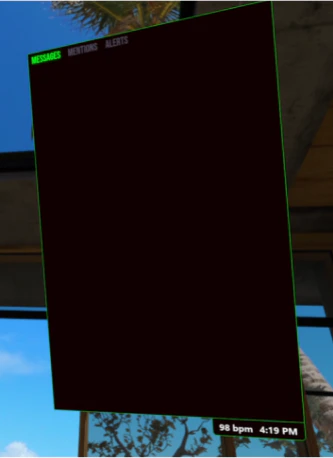
Pulsoid is a heart rate tracking solution for streamers and gamers. It’s a great tool for self-expression and sharing emotions with viewers. With the Pulsoid x LIV integration, you can even see your heart rate in the StreamerKit chat window, allowing you to observe the impact of your activities.To use Pulsoid, you need a compatible heart rate monitor for streaming, a free Pulsoid account, and a mobile app to read live heart rate information from your tracking device. Pulsoid supports a variety of devices, and you can check the up-to-date devices compatibility list on their website.Step 1: Download LIV on Steam https://store.steampowered.com/app/755540/LIV/Step 2: Install and launch, under StreamerKit click ‘Launch StreamerKit’Step 3: Under ‘services’ click on the Pulsoid tab, then click the ‘login’ buttonStep 4: Make sure you are logged into your Pulsoid account on your browser. Click ‘authorize app’ to allow LIV to connect to your account (in order to read your real time heart rate information)Step 5: You may get a browser popup asking to open the link using StreamerKit, check the ‘always allow’ checkbox, then click ‘open link’You should now be connected to Pulsoid! With your heart rate monitor on and the companion Pulsoid app running, you should see your heart rate on the bottom right corner of your chat window. Make sure you connect your Twitch account as well to be able to see Twitch chat in this box!You should now be successfully connected to Pulsoid! With your heart rate monitor activated and the Pulsoid app running, your heart rate should be displayed in the bottom right corner of your chat window. Don’t forget to connect your Twitch account as well to enable Twitch chat viewing in this box.
If you encounter any issues with connecting a heart rate monitor in the Pulsoid app, feel free to reach out to the Pulsoid team to get help via email support@pulsoid.net or in Pulsoid Discord!
Was this page helpful?
Assistant
Responses are generated using AI and may contain mistakes.