

- Pair your tracker in SteamVR
- Launch the LIV desktop app Mixed Reality Capture > Start PCVR Mixed Reality Capture
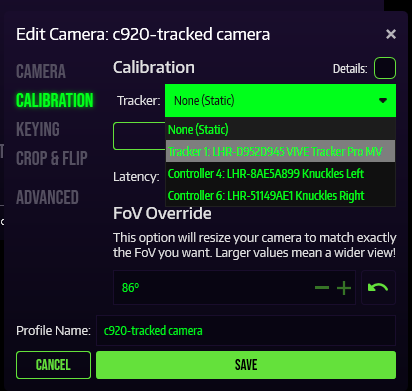
- After creating your camera profile click Edit > Calibration
- In the Tracker drop down menu select your tracker
The camera must stay stationary before and during calibration.
- Pairing your trackers for Full Body Tracking or tracked camera
- How to pair SteamVR devices to avoid binding conflicts